Graphic Design & Vector Logos for Utah Businesses
One easy file for everything. Consistent branding everywhere.
- No more getting rejected by printers.
- Printers love our files.
- No more paying extra for file conversion.
- You already have the files printers actually want.
- No more blurry images on merch.
- Your images scale infinitely.
- No more guessing when posting to social media.
- Documentation keeps everything consistent.
- Same colors, same fonts, same style.
- Documentation keeps everything consistent.

Usable Logos
Your logo is not just a picture. It is a system.
Not all images are equal. JPEGs and PNGs are built by pixels and can only scale so far. Vector images are built using mathematical equations and can scale infinitely. Your images may be getting rejected by printers or look blurry on your merchandise because you are not using the proper file types. We rebuild your logo as a usable system in Vector format so it can scale infinitely and stay crisp.
Drag the slider. A raster image turns to blocks when it's blown up; a vector stays crisp at any size.


A good logo is a system: different versions built for different situations.

Current Logo Packages
01
Vectorize My Logo
For a fresh business running on an AI-made or rough logo.
A clean, scalable vector file, ready for print, merch, or anywhere else it needs to go.
02
Vectorize + Logo + Variants
For someone who just bought a business and inherited a logo with no usable files.
The vector logo, every format variant, and the documentation your printer or next designer will ask for.
03
Build My Logo From Scratch
For someone starting with nothing but an idea, who wants it built right the first time.
We sketch and develop it together as creative partners, designed for print and embroidery from day one, so you land on a finished logo and brand system that works everywhere, not just on a screen.
See It In Action
Handcrafted vector images. Not an AI trace.
This mark is hand-built from three separate layers, not one AI-guessed outline. Scroll to watch them pull apart.
- Intelligent layering makes it easy to edit.
- Recolor, resize, or adjust any piece without touching the rest.
- Clean edges built with the fewest points possible, so nothing looks jagged or overbuilt.
- Scales infinitely, stays crisp.
- Real, editable text, not shapes traced from letters, so the words themselves can still be changed later instead of redrawn from scratch.
Built by a person with technical knowledge
An experienced designer knows what is best to simplify and which shapes and lines should be transparent or removed. AI image traces and variants do not make these kinds of decisions. This example below is a very complicated logo with a lot of colors and shapes.
- Full color for anything that can print it.
- Single-tone for embroidery and one-color screen printing.
- A reversed version for dark backgrounds.
How It Works
From idea to finished logo.
Here's what that looks like in practice. One client's process, start to finish.
- 1Share your ideas and any rough sketches
- 2We sketch concepts and review them together
- 3Refine based on your feedback
- 4Build the final logo in vector software
- 5Final approval and file delivery
Brand Kit
One brand. Everywhere it shows up.
Every logo, post, and shirt you put out is a first impression. When they don't match, it reads as unprofessional, even when the work itself is good. We help business owners document their brand identity so they always know what fonts and colors and style to use.
04
Get My Brand Organized
For a business that already works, but looks scattered everywhere it shows up.
Full documentation, templates, social media kits, PowerPoint templates, and a ready-to-use Canva brand setup.
Client Work
From logos to everything they end up on, apparel, stickers, labels, packaging, book and album covers, and more. Click any piece to see more.
Our Story
Twenty-five years of print experience, built into every file.
We started Eagle Mountain Design, a graphic design studio, because we love turning ideas into physical items, and we enjoy building a cohesive package that looks professional and consistent.
Not every file meets printer specifications, and with the knowledge and experience we have gained over the last 25 years, we feel an obligation to help local business owners level up their image portfolio so they can build branding material quickly and efficiently.
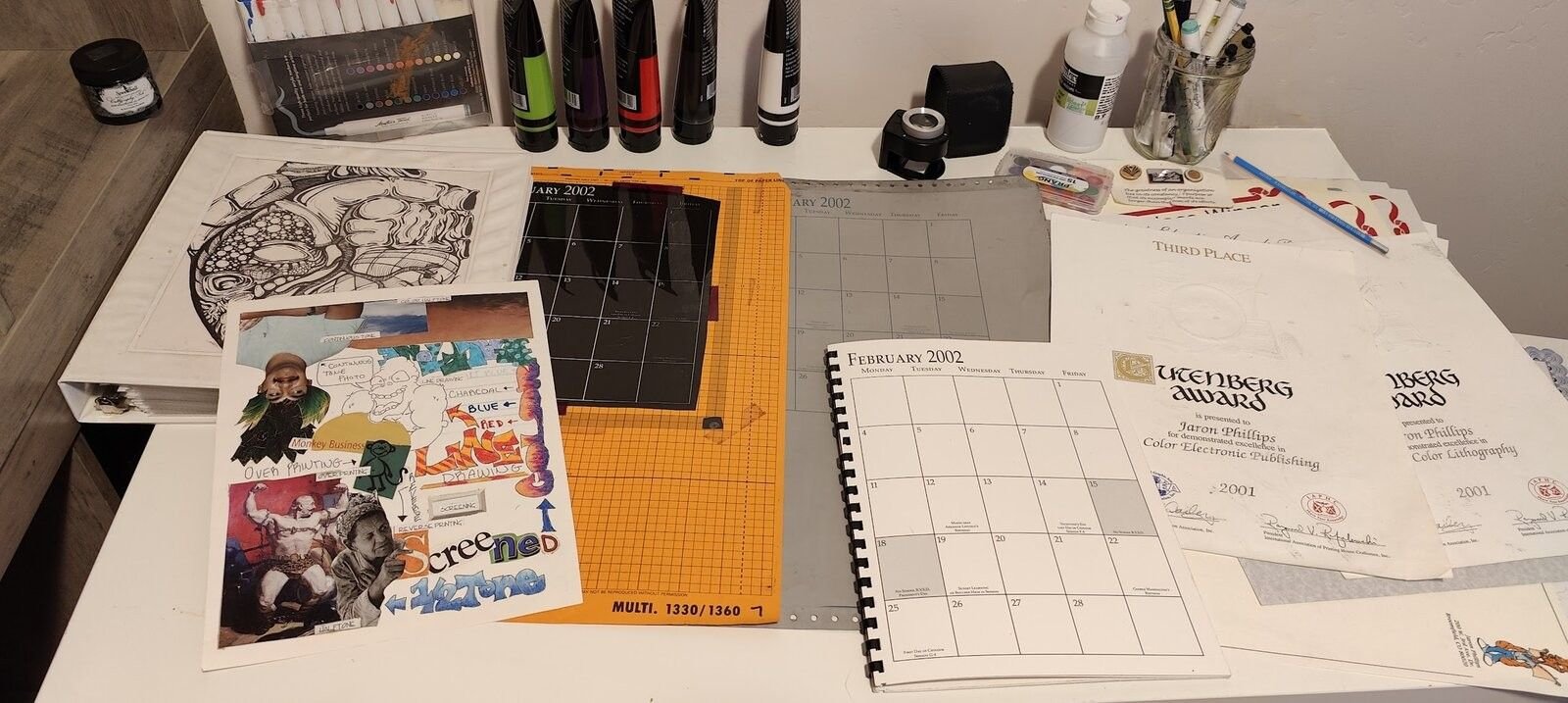
Explore the desk below to learn about some of the printing tools we have used over the years.
Get in Touch
Got something you want to make real?
Tell us what you're working on and we'll talk it through together.
Prefer to talk directly? Call or text 720-436-9797 or email info@eaglemountaindesign.com. Based in Eagle Mountain, serving businesses across Utah.
Common Questions
Why is my logo blurry? And other things people ask us a lot.
Why is my logo blurry or pixelated?
Most logos start out as a JPG or PNG, which are built from a fixed grid of pixels. That's fine on a screen, but the moment you stretch it past its original size, those pixels get pulled apart and you see blur or blockiness. It's not a mistake anyone made, it's just the file running out of resolution.
Why won't my printer accept my logo file?
Printers usually need a vector file (AI, EPS, or a properly built PDF/SVG), not a JPG or PNG. A vector file is built from math instead of pixels, so it scales to any size, a business card or a billboard, without losing quality. If a printer rejected your file, it's almost always because they were sent a pixel-based file instead of a vector one.
Why do I need to vectorize my logo?
Vectorizing rebuilds your existing logo as that scalable, math-based file. Once it exists, you're set for good, no more resizing headaches, no more blur, no more a printer telling you the file isn't usable. It's a one-time fix that solves the problem everywhere your logo shows up.
I made my logo with an AI tool. Can I still use it?
Usually not as-is. AI logo generators export a flat image, a PNG or JPG, that looks sharp on your screen but was never built to scale. Think of it as a concept sketch, a great starting point, not a finished, print-ready file. We rebuild it as a proper vector so it holds up wherever it needs to go.
What's the difference between a vector and a raster (JPG/PNG) logo?
A raster image is a fixed grid of pixels with a hard limit on how large it can get before it turns blocky. A vector image is built from paths and shapes, so it scales from a pin to a billboard with zero quality loss, and stays fully editable along the way.
Do you do other stuff too?
Yes, we build a lot more than logos. We lead with logo fixes because we kept noticing the same problem: a lot of people are making their own logos with AI tools now, and then hitting a wall the moment they try to actually make something with it, a shirt, a hat, a sticker, a sign. That's how fixing AI-made and rough logos became our specialty. But once your logo's sorted, we can build just about anything around it, shirts, hats, stickers, labels, signs, and more, all from the same file.
Can't I just use Canva or an AI tool to vectorize my logo myself?
You can get a file that's technically a vector that way, but technically a vector isn't the same as actually usable. Canva's auto-trace and AI SVG generators tend to build a logo out of hundreds of tiny overlapping paths with no real layers, and colors that never got separated out, just shapes stacked on shapes until it looks right. It might look fine on your screen, but the moment a printer, embroiderer, or another designer opens that file, it's a mess: colors can't be isolated for single-color printing, paths can't be cleanly edited, and file sizes balloon. We build every vector with a light path count, colors properly separated into their own layers, and clean geometry, so it's not just scalable, it's easy for a human (or a machine) to actually open and use later.